
Before you start
- You do not need a complex prompt format.
- Generating an image requires sign-in and confirmation of the displayed Gems cost.
A prompt to try
An orange cat sits by a café window after the rain. An evening street is outside, with warm indoor light and soft cinematic photography.
Follow these steps
Start with the subject
Describe who or what is in the image and what it is doing, then add the setting.
Add lighting and style
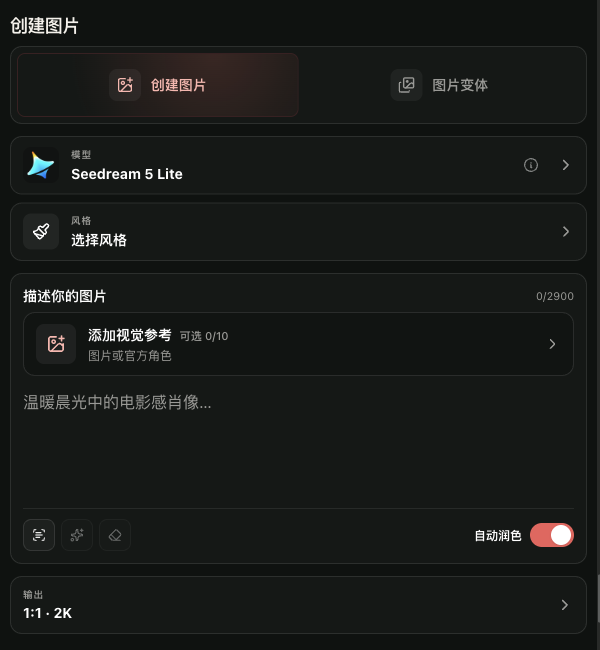
Add one or two details that change the mood, such as evening light or a cinematic photo style. Copy the example below into Describe your image.

Add lighting and styleView larger image Change one thing at a time
If the result is off, change the subject, setting, or lighting one at a time. Auto Polish can help; turn it off when comparing exact wording. Check the cost before each new generation.
Open Create Image
What to expect
You have a complete prompt to try in Create Image and a simple way to improve it.
Common issues
- Avoid piling up conflicting style words.
- Results vary by model and settings; treat the example as a starting point.