
Before you start
- Sign in to your Let’s Gen account.
- Generating may use Gems. Check the displayed cost before selecting Create.
Follow these steps
Open Create Image
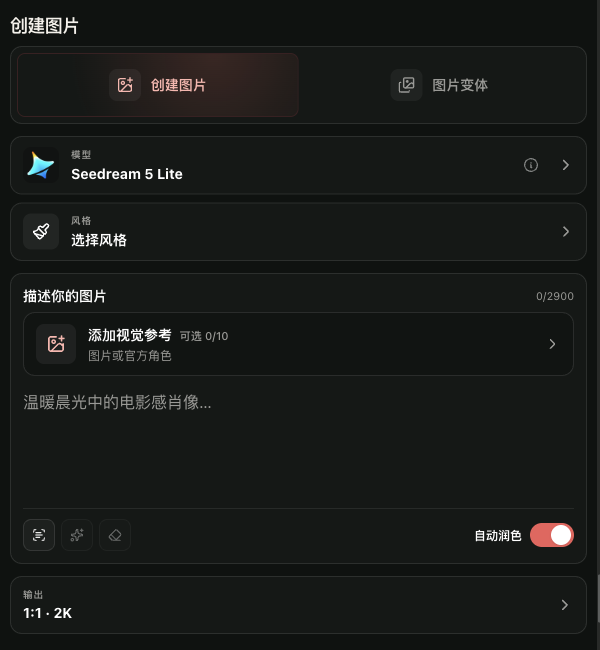
In the Create section, choose Image. On mobile, open the navigation menu first.
Open Create Image
Open Create ImageView larger image Choose a model and describe the scene
Pick an available model. In Describe your image, enter the subject, setting, and style. Style and visual references are optional.
Write your first image promptCheck output and Gems
Adjust the output and image count if needed. Check the cost beside Create again after changing any setting.
How Gems workCreate and find the result
Select Create. When generation finishes, find the result in My Creations or the Creations history. Open it to save or download.
Open Creations
What to expect
Your generated image appears in My Creations or Creations, where you can open it and use its actions.
Common issues
- If Create is unavailable, check the model, prompt, and Gems balance.
- If no result appears yet, check progress and the failed or blocked filter.